

Azure Policy Definition to Enforce IaC and Restrict Click Ops
Background
Infrastructure as Code (IaC) is the preferred way for almost every mature organisation to deploy and manage resources on cloud platforms. However, managing configuration drift has always been challenging when someone with privileged access changes resources directly without updating the IaC code.
To minimise this risk, organisations can adopt strict rules when assigning privileged IAM roles to users. However, this approach can be hit or miss. I have often found configuration drift between IaC code and actual resource configurations in customer environments.
A few days ago, I was discussing the requestContext().identity function in Azure Policy with a colleague. He jokingly said that we could develop a Deny policy for requests where the identity is my user account.
Although it was a joke, it made me realise that this could be a good way to enforce IaC and restrict ClickOps. It would prevent users from making changes even with privileged access unless they sign in to Azure using a service principal.
Policy Definition
I managed to develop this policy definition: Restrict Manual ARM API Requests by User Identity.
You need to specify the resource types for which you want to restrict manual operations using the resourceTypePrefix parameter. The policy appends a wildcard (*) to the end of this parameter, so you can use a prefix such as Microsoft.Compute to apply the policy to the entire resource provider, or Microsoft.Compute/virtualMachines to apply it to virtual machines and all their child resources.
To put this into action, I added the definition to the Azure Network Security Groups Policy Initiative and set the resourceTypePrefix parameter to Microsoft.Network/networkSecurityGroups. Once the initiative is assigned, any manual operations on network security groups and their child resources are denied, and users must use IaC to make changes.
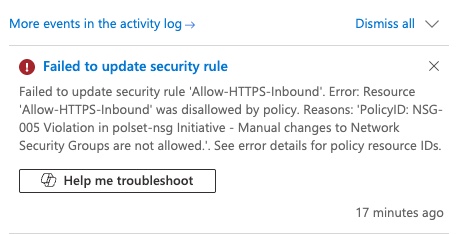
To test the policy, I assigned the initiative and tried to change the destination of an existing NSG rule through the Azure portal using my user account, which had the Owner role. The operation was denied as expected.
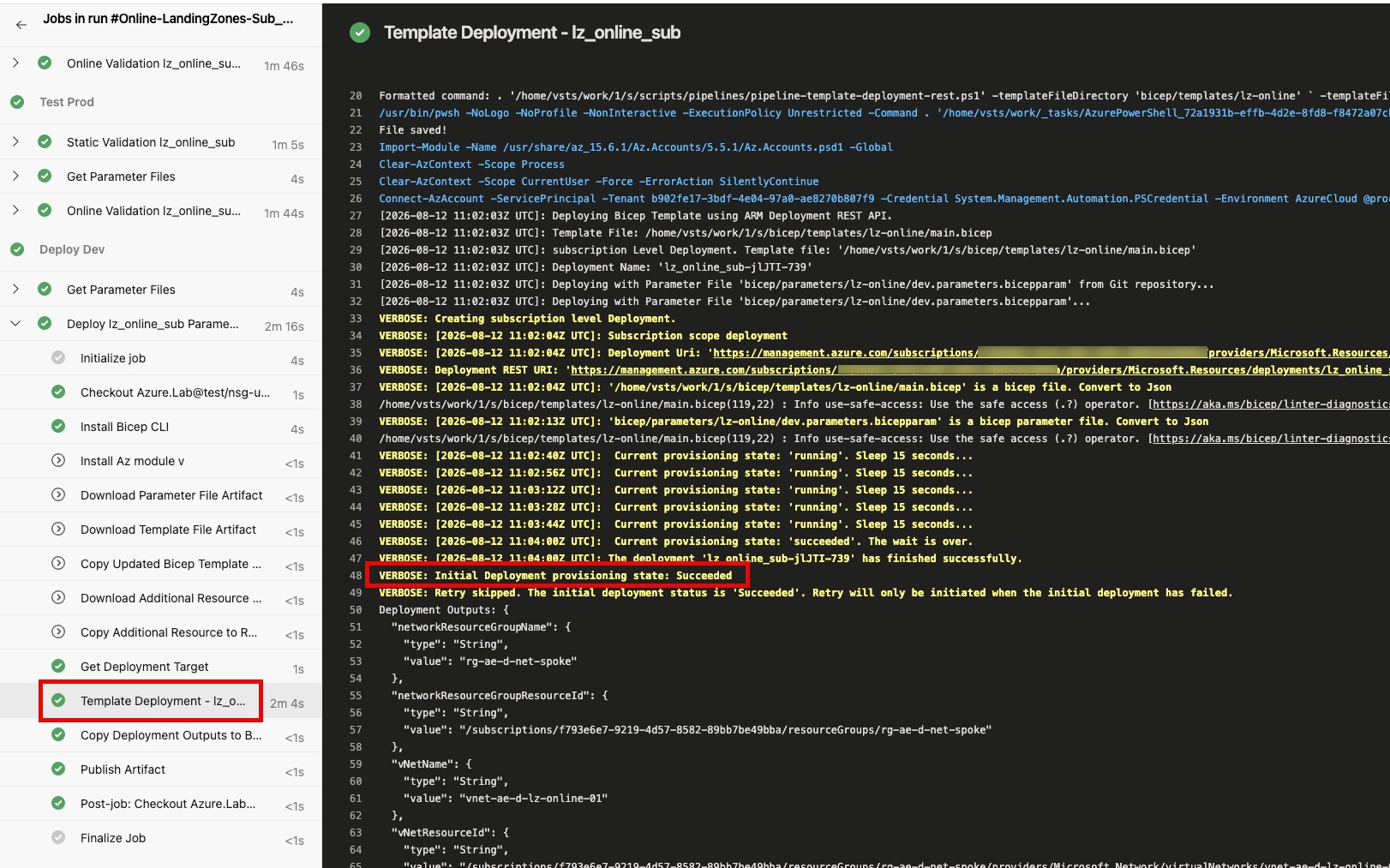
I then updated the IaC code with the same change and ran the Azure DevOps pipeline. The deployment succeeded, and the change was reflected in the NSG rule. This is because the ADO pipeline uses a service principal to deploy the IaC code, which is allowed by the policy.
Considerations
When using this policy, please consider the following:
- Make sure you test this thoroughly in a non-production environment before applying it to production. You don’t want to accidentally lock yourself out of making necessary changes.
- Azure Policy can only manage resources at the subscription scope and below. You cannot use this policy to restrict operations on resources at the management group or tenant scope, such as policy resources, role definitions, and role assignments deployed at those scopes.
- Some resources are exempt from Azure Policy evaluation. Refer to the Azure Policy documentation for details. These resources are not affected by this policy, so users can still make manual changes to them.
- This policy is not a replacement for proper IAM role management. It provides an additional layer of control to enforce IaC and restrict ClickOps. You should still follow best practices for IAM role assignments and apply the principle of least privilege when managing access to your Azure resources.
Leave a comment